If you’re trying to decide DDR4 vs DDR5 gaming, start with two truths:
Truth 1: The amount of RAM (8GB vs 16GB vs 32GB) usually changes your day-to-day gaming more than the DDR4/DDR5 label does.
Truth 2: DDR5 can be faster in the right setup, yet it isn’t a magic switch for FPS in every game.
So the real beginner question is still: how much ram for pc gaming—then which generation makes sense for your budget and upgrade path.
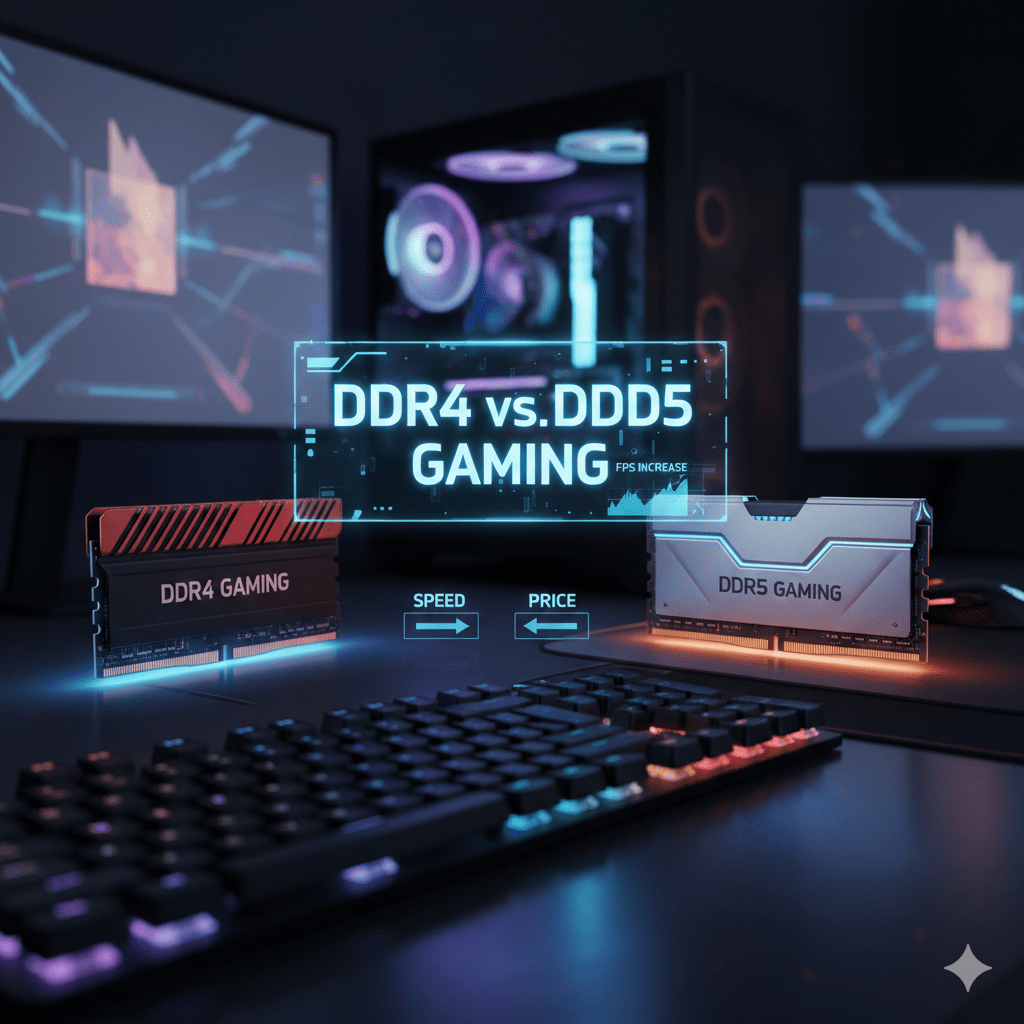
What DDR4 and DDR5 actually change in games
RAM affects gaming in a few clear ways:
- Loading and streaming game assets (textures, world data, maps)
- Smoothness during heavy scenes (busy cities, large battles, open-world traversal)
- Multitasking while you play (browser tabs, voice chat, recording, overlays)
- Stutter risk when memory runs out and Windows leans on storage
Where people get confused: RAM speed is not the same as GPU speed. Your GPU still does the heavy lifting for graphics, while RAM supports the system so the CPU and GPU don’t wait around.
DDR4 vs DDR5 in plain language
DDR4: Mature, widely compatible, typically cheaper, lots of stable kits.
DDR5: Newer, higher data rates, often better for modern platforms, sometimes higher total system cost due to motherboard pricing.
In many popular titles, the difference between decent DDR4 and decent DDR5 shows up as:
- Small FPS gains in CPU-limited esports titles
- Slightly better 1% lows (the “feel” of smoothness) in some cases
- No noticeable change in GPU-limited AAA games at high resolutions
That’s why the “how much ram for pc gaming” decision often comes first.
How much RAM for PC gaming: 8GB vs 16GB vs 32GB vs 64GB
8GB RAM: still usable, with limits
8GB can run many games, especially lighter titles, older releases, and competitive games with tuned settings. The downside is how fast Windows + background apps chew through it.
What 8GB often feels like:
- You can play, yet alt-tabbing is slower
- A browser open during gameplay can push memory pressure
- Some modern games may hitch when loading areas
If you type how much ram for pc gaming because you’re building a new PC in 2026, 8GB is usually the “minimum to get in the door,” not the sweet spot.
16GB RAM: the real starting point for modern PC gaming
For most gamers, 16GB is the best balance of price and comfort:
- Plenty for today’s mainstream gaming
- Much better breathing room for Discord, launchers, overlays, and a browser
- Fewer stutter moments tied to memory limits
If someone asked me “how much ram for pc gaming” with no other context, 16GB is the default recommendation.
32GB RAM: the comfort tier (and the multitasker’s pick)
32GB shines when you:
- Play big open-world games
- Use texture-heavy mods
- Record gameplay, stream, or edit clips
- Keep lots of browser tabs open
- Run background tools (voice, monitoring, capture, chat, music)
It’s also the “buy once, stop thinking about it” tier.
64GB RAM: for specific use cases
64GB rarely boosts gaming FPS on its own. It’s mainly for:
- Heavy content creation while gaming
- Professional workloads on the same PC
- Large simulation titles with big mods
- Running virtual machines alongside games
So yes, people can run games on 64GB. The bigger question stays: how much ram for pc gaming for your exact habits.
The “smoothness” part: FPS vs 1% lows vs micro stutter
Gamers don’t only chase average FPS. They chase stability.
- Average FPS: the headline number
- 1% lows: the dips you actually feel
- Stutter / micro stutter: momentary hiccups, often caused by loading, shader compilation, background tasks, drivers, or memory pressure
RAM can affect the last two more than the first.
If you’re on 8GB and your game plus Windows plus apps exceed memory, Windows may use storage as backup memory. That’s when you can see loading pauses, hitching, and that “something is off” feeling.
So when someone asks how much ram for pc gaming, they’re often describing smoothness problems without using the exact words.
DDR4 vs DDR5 gaming: where DDR5 can actually matter
DDR5 tends to help more when the CPU is the bottleneck—common in:
- Competitive esports titles at low settings aiming for very high FPS
- Strategy or simulation games with many units
- CPU-heavy scenes (large crowds, physics, heavy AI)
DDR5 can also be appealing because many new platforms are built around it, and it may offer a cleaner upgrade path depending on motherboard choices.
What about RAM speed, latency, and the stuff that feels confusing?
You’ll see terms like frequency (MT/s), timings (CL), and bandwidth. The simplest mental model:
- Higher data rate can help the CPU get data faster in some workloads
- Lower latency can help responsiveness in certain patterns
- Games vary wildly in which one they like more
DDR5 often has higher data rates than DDR4, while DDR4 can sometimes compete on latency depending on kits and settings.
The result in real gaming: sometimes a small lift, sometimes nothing obvious.
A practical buying guide: what to choose for your build
If you already own a DDR4 system
If your PC runs well and you’re deciding between adding RAM or switching platforms:
- Moving from 8GB to 16GB can be a night-and-day change in smoothness
- Moving from 16GB to 32GB can be a quality-of-life upgrade for multitasking
- Switching DDR4 to DDR5 usually means a new motherboard (and often a new CPU)
So the cheapest “win” is often RAM capacity first, not generation changes.
If you’re building fresh and budgeting matters
DDR4 platforms can still be great value. Put money into:
- A better GPU
- A strong CPU
- A fast SSD
- Solid cooling and airflow
Then pick DDR4 RAM that’s known for stability at sensible speeds.
If you’re building new and want longer-term platform life
DDR5 can make sense when:
- The motherboard platform you want is DDR5-first
- You’re aiming for a higher-end CPU that benefits from faster memory
- You plan to keep the motherboard and upgrade CPU later
This is where ddr4 vs ddr5 gaming becomes less about FPS and more about your upgrade timeline.
Recommended RAM capacity by gamer type
Casual and competitive (light multitasking)
- Target: 16GB
- Works for: esports, older games, many popular titles
- Tip: keep the browser and background apps in check during matches
AAA single-player and open-world fans
- Target: 16GB minimum, 32GB if you like comfort
- Helps with: asset streaming, large environments, fewer memory-limit hitches
Modders, creators, and streamers
- Target: 32GB
- Helps with: mods, recording, editing, browser tabs, capture tools
Workstation-style gaming PCs
- Target: 64GB if you truly need it
- If it’s just for gaming, 32GB is usually more than enough
If you still feel unsure, come back to the question: how much ram for pc gaming for your daily routine, not for a spec sheet.
RAM and Windows: why your system “uses so much” at idle
A lot of people check Task Manager and panic. Windows uses RAM for caching and responsiveness. That can be normal.
What matters is:
- Do you have enough free memory during gaming?
- Are you hitting memory compression or paging to storage?
- Do you see stutter when new areas load?
If the system is paging heavily while gaming, more RAM can help.
Setup tips that actually help RAM performance (without nerd traps)
Dual-channel matters
Two sticks (like 2×8GB or 2×16GB) often perform better than one stick because the system can access memory in parallel.
Match sticks when possible
Mixed RAM can work, yet it may run at the slowest stick’s settings or require manual tuning.
Don’t overspend on extreme kits for mid-range builds
A balanced build usually benefits more from:
- Adequate capacity
- Stable settings
- A good GPU and CPU pairing
Keep your background apps under control
Browsers, overlays, launchers, recording tools—each one eats memory. If you want smooth gameplay, treat your PC like a gaming console during play sessions: fewer extras running.
“How much” and “much”: a quick word corner (yes, it’s relevant)
People search how much ram for pc gaming because they want a clear quantity. Even the word “much” has a fun language history that shows up in dictionary entries, usage notes, and translations.
You might see old forms like muche, micel, or even myċel in English etymology discussions. Some sources trace lines through centuries—people may mention a 13th century spelling in a sentence word history section.
Across languages, “much” connects to a bigger family of words:
- Latin magnus (meaning “great”)
- Greek megas / μέγας
- Scots mickle
- Swedish mycket
- Danish meget
- Norwegian Bokmål mye
- Norwegian Nynorsk mykje
- Middle Dutch mēkel (often discussed in older language notes)
If you’re a learner browsing grammar topics, you’ll run into parts of speech too: adjective, adverb, noun, pronoun, plus examples and pronunciation notes. Some dictionary media group pages even add html5 audio so you can hear pronunciation.
For spanish speakers or anyone using a free translation tool, the point stays the same: the “how much” question is about degree and quantity—exactly what RAM shopping is about.
(If you’re curious, you’ll see this kind of content in places like Merriam-Webster and Oxford dictionaries—often shown with definitions, idioms, synonyms, usage, and “nearby words.” Some pages also show “kids” definitions and grammar examples.)
That’s the language side. Now back to gaming.
DDR4 vs DDR5 gaming: real-world examples (what you may notice)
Scenario 1: You upgraded from 8GB to 16GB
You might notice:
- Less stutter while loading into matches
- Better stability when alt-tabbing
- Fewer dips when background apps are open
Scenario 2: You upgraded from 16GB to 32GB
You might notice:
- Smoother gameplay while streaming/recording
- Better modded-game stability
- Fewer “memory pressure” moments in big open-world titles
Scenario 3: You switched DDR4 to DDR5 on a new platform
You might notice:
- Slight FPS improvement in CPU-heavy games
- Better 1% lows in certain titles
- No difference in GPU-heavy AAA games at high settings
So when someone asks ddr4 vs ddr5 gaming, the honest answer is: it depends on the games, resolution, CPU, and your background workload. Capacity is easier to predict.
A simple decision chart you can follow
Choose DDR4 when:
- You want the best value
- You’re building a budget or mid-range PC
- You’d rather put money into the GPU
Choose DDR5 when:
- You’re buying into a newer platform and want future upgrade flexibility
- You’re pairing with a higher-end CPU
- You play CPU-limited games and chase high FPS
Then pick RAM capacity:
- 16GB for most gamers
- 32GB for comfort, creators, modders, heavy multitasking
- 64GB for special workloads
This answers both questions—how much ram for pc gaming and whether DDR4 vs DDR5 gaming is worth it for you.
Final take
If your goal is smooth gaming, start with capacity and stability. For most people, 16GB is the clean answer to “how much ram for pc gaming.” If you want extra breathing room for modern titles plus multitasking, 32GB is the stress-free choice.
On the DDR generation choice: DDR5 can be a nice bump in the right builds, yet it’s rarely the single reason a PC suddenly feels fast. Pair the right CPU and GPU first, then choose the memory platform that fits your budget and upgrade plans.