A budget gaming pc build is not about chasing the highest numbers. It’s about building a stable system that plays modern games smoothly, keeps temps under control, and leaves room for future upgrades. If you’re buying parts for the first time, the goal is simple: spend money where it changes real gameplay, skip the “nice to have” stuff that looks expensive but does little.
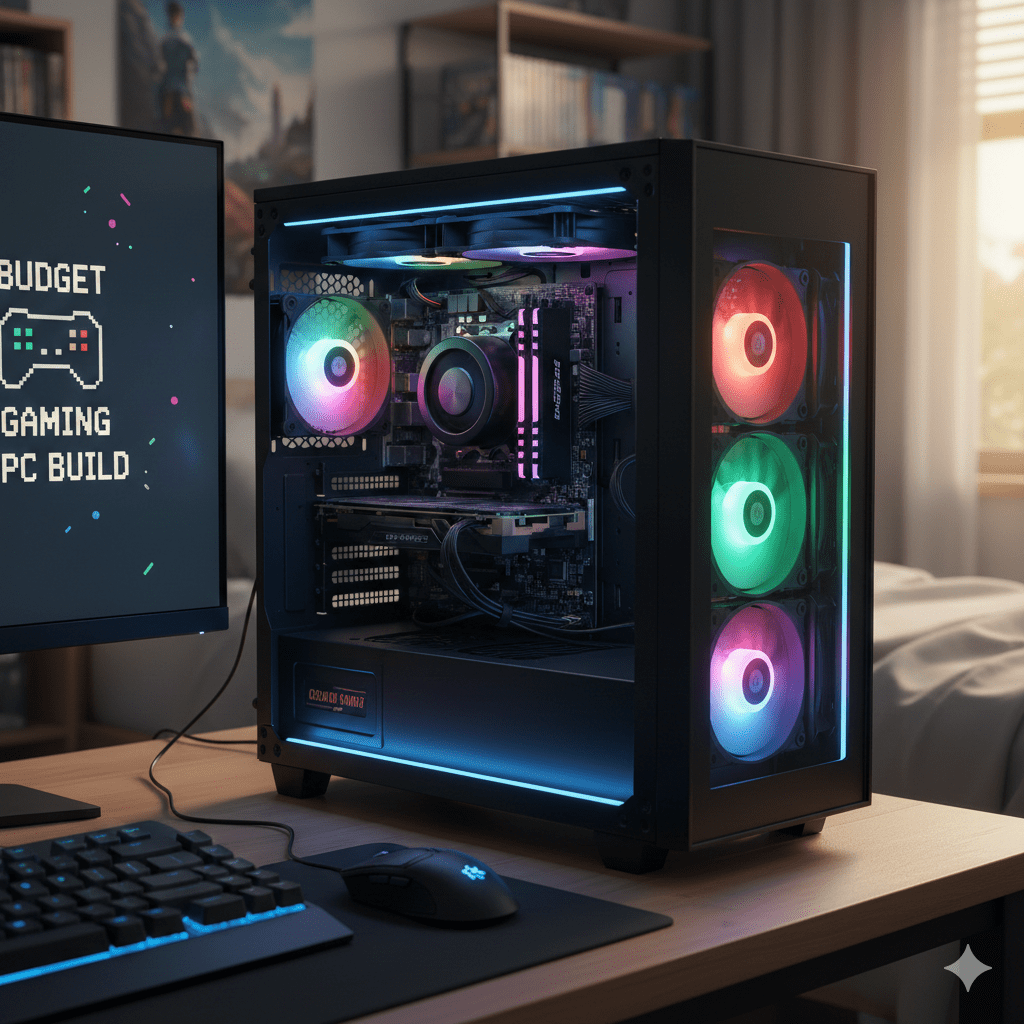
This guide covers a full budget build plan, part-by-part. It includes CPU, GPU, RAM, SSD, motherboard, PSU, case, cooler, and setup settings. It keeps compatibility in mind, keeps the power supply safe, and stays realistic on prices and current price swings.
You’ll see “budget gaming pc build squad” used in the guide too. Many readers mean the game Squad. Some mean “build squad” as a group plan. This guide supports both: a build that handles heavy multiplayer titles, plus a section with settings for Squad-style gameplay and frame-time stability.
What “budget gaming pc build” means in 2026
A budget gaming PC can still deliver great gaming performance. The limit is not the idea of “budget,” it’s how the budget is split across parts.
What to expect from a budget build
Most gamers target 1080p first. With a good graphics card and a sensible processor, you can get strong frame rates in many popular games, plus very playable results in AAA titles with tuned settings. Ultra settings can be expensive, and ray tracing can hit performance hard on lower-tier GPUs. A budget build can use ray tracing in lighter scenes, but it’s smarter to treat it as a bonus feature, not a requirement.
The sweet spot spending rule
For most games:
- Put the largest share of the budget into the GPU (your graphics workhorse).
- Pick a CPU that keeps the GPU fed in busy scenes.
- Don’t cheap out on the PSU and storage. A weak power unit can ruin the entire build. A tiny or slow drive can create hitching and long load times.
Choose your target before buying parts
Pick one:
- 1080p smooth gameplay (best value per money)
- 1440p with balanced settings (more GPU cost)
- CPU-heavy multiplayer focus (Squad, large matches, heavy simulation)
Once you pick the target, every part choice becomes simpler.
The 3 build tiers (pick one and build it)
These are not “one exact shopping list.” Part availability changes by region. Use these as targets. Stick to the targets and the build stays balanced.
Tier 1: Tight budget 1080p build (starter value)
This tier is for a first budget gaming pc build where you want dependable performance and an easy upgrade path.
Main components to aim for
CPU (processor)
- A modern 6-core CPU is a strong starting point.
- Examples that often fit a budget: AMD Ryzen 5-class chips, or Intel Core i5-class chips.
- Focus on stable clocks and good gaming behavior, not extra cores you won’t use.
GPU (graphics card)
- Put the biggest share here.
- Look for a current-gen entry card with enough VRAM for modern textures.
- If your budget is tight, a used card can work, with a careful checklist (covered later).
RAM (memory)
- 16GB RAM works for a lot of gaming today.
- If you multitask, stream, or keep many apps open, jump to 32GB.
Storage
- Start with an NVMe SSD if possible.
- A 1TB drive is comfortable for a real game library.
- If your money is tight, a smaller NVMe + later storage add-on is fine.
Motherboard
- Buy a board that matches the CPU socket and supports the RAM type you choose.
- Skip flashy extras and focus on reliability, rear USB, and decent VRM cooling.
PSU (power supply)
- Don’t go too low here.
- Aim for a reputable unit with enough wattage headroom for GPU upgrades.
Case and cooler
- A breathable case matters.
- A basic tower air cooler can be enough for many CPUs, even the stock cooler can work on some models.
What this tier feels like
You get smooth 1080p play with tuned settings. You can run many games at high settings, then drop a couple heavy options if a title is demanding.
Tier 2: Value build (the sweet spot for most gamers)
This is the tier most people want. It’s the “money well spent” build: good GPU, good CPU, and less compromise.
Main components to aim for
CPU
- 6 cores still works well, 8 cores can feel better in heavier games and background load.
- Focus on strong single-thread gaming behavior.
GPU
- Aim for the best price-to-performance ratio in your region.
- Cards that can handle 1080p high and step into 1440p with mixed settings fit this tier.
DDR4 RAM vs DDR5 RAM
- DDR4 RAM can still be a strong value choice on the right platform.
- DDR5 RAM and DDR5 memory can cost more, but some builds get real benefits in newer platforms.
- Pick based on total platform cost, not just the RAM sticks.
SSD
- A fast NVMe drive helps with large open worlds, fast level streaming, and general PC responsiveness.
- If you’re comparing models like Opal NV7400, treat it like any SSD: look at real performance under sustained load, not only burst numbers.
PSU
- Buy with headroom in mind.
- If you plan a GPU upgrade in a few years, get a stronger PSU now.
What this tier feels like
Smooth gameplay in modern titles without constant tweaking. This tier is comfortable for people who want stable frame rates and fewer dips in heavy scenes.
Tier 3: Budget 1440p build (strong foundation for the next few years)
This tier targets 1440p as the default. It needs a stronger GPU and a platform that can grow.
Main components to aim for
CPU
- A good 6-core can work, a solid 8-core can feel better in big multiplayer matches and heavy simulation.
GPU
- This is the star. You need a card with enough VRAM and raw power for 1440p textures and effects.
- Keep ray tracing expectations realistic. It’s often better as a selective toggle than a full-time setting in budget-focused builds.
RAM
- 32GB is a sensible pick here, especially for games that stream large assets.
Storage
- 1TB NVMe SSD at minimum feels right for this tier.
- Add a second drive later for bulk storage if needed.
Motherboard and PSU
- Choose a board with a clean upgrade path.
- Choose a PSU that supports a stronger future GPU.
What this tier feels like
1440p gaming with less compromise on image quality. You can run higher settings, keep frame rates stable, and still have a path to stronger GPUs later.
GPU buying guide (graphics card choices that make sense)
The GPU is the biggest driver of gaming performance in most builds. A budget PC can still feel premium if the graphics card choice is right.
Nvidia GeForce RTX vs AMD GPUs
Nvidia GeForce RTX / Nvidia RTX / RTX
- Often strong for features like ray tracing and upscaling support.
- Can be a good pick if you care about those features and your budget fits.
AMD GPUs
- Often strong value in raw frames per money.
- Great picks when your main goal is stable frame rates at a given resolution.
The right answer depends on current price in your region. The same class of GPU can swing from “great buy” to “skip it” from month to month.
Ultra settings and ray tracing: what matters on a budget
Ultra settings are not one setting. It’s a bundle of many heavy options. A budget build can look great at high settings with a few tweaks.
Use this approach:
- Drop shadows one notch first.
- Reduce volumetric effects next.
- Keep textures high if VRAM allows.
- Treat ray tracing as optional.
This keeps smooth gameplay without making the game look flat.
Used market GPU checklist
The used market can save money. It can also burn money if you buy blind.
Look for:
- A seller who can show the card running under load.
- Clean fan behavior with no grinding sounds.
- No signs of overheating damage.
- Proof that the card has not lived in extreme dust or heat.
- A reasonable return window if your local marketplace allows it.
Avoid cards with unknown history, missing screws, or signs of repeated disassembly.
CPU buying guide (Intel Core vs AMD Ryzen)
The CPU shapes how stable frame times feel, especially in big matches, heavy simulation, and crowded scenes.
Intel Core choices
Intel Core i5-class chips often land in budget builds for good reason:
- Strong gaming performance for the money
- Wide motherboard availability
- Good pairing with midrange GPUs
Aim for a CPU that matches your GPU tier. A very strong GPU with a weak CPU can cause dips in heavy scenes.
AMD Ryzen choices
AMD Ryzen 5 and 7-class chips are common in budget builds:
- Good gaming performance
- Often strong platform upgrade options
- Great value when motherboard pricing is fair in your region
Integrated graphics: when it makes sense
Integrated graphics can help in two situations:
- You’re building in stages and buying the GPU later
- You’re doing light gaming and general PC use in the short term
For a real gaming build, integrated graphics is a temporary plan, not the end goal.
RAM and storage: the parts that stop slowdowns
RAM capacity and type
RAM is cheap compared to the pain of running out.
Practical guidance:
- 16GB works for a lot of games.
- 32GB gives more breathing room for heavy titles, background apps, mods, and multitasking.
- DDR4 RAM can be a strong value choice in many builds.
- DDR5 RAM and DDR5 memory can be worthwhile when the platform price makes sense.
RAM speed matters, but stability matters more. Pick a reputable kit that your motherboard supports cleanly.
SSD and NVMe SSD choices
A good SSD changes how the whole system feels:
- Faster boot
- Faster game loads
- Better streaming behavior in open worlds
An NVMe SSD is the usual choice today. If you compare models such as Opal NV7400, focus on sustained behavior and reliability in real usage. A drive that looks fast in short tests can slow down during long installs or big file moves.
Motherboard, PSU, case, cooler: the stability parts
This is where many first-time builders lose money. A budget build can still use strong parts in these areas without overspending.
Motherboard basics
Match your motherboard to:
- CPU socket
- RAM type (DDR4 or DDR5)
- Storage support for NVMe SSD
- The ports you actually use
The phrase “component type model” matters here. When you shop, confirm the exact model name, not just the chipset family. A small suffix can change features and VRM quality.
PSU and power supply sizing
The power supply is not the place to gamble. A weak unit can crash the system, damage parts, or cause random resets.
Practical PSU guidance:
- Buy a reputable PSU with real protections.
- Give your system headroom for GPU spikes.
- Leave room for future upgrades.
Wattage depends on your GPU and CPU choices. For many budget builds, a quality mid-range PSU works well. For higher GPUs, step up.
Case airflow and cooler choices
A good case with airflow keeps parts happy:
- Lower temperatures
- Lower fan noise
- Better sustained performance
A decent air cooler is often enough. Expensive coolers can be nice, yet a budget build does not need a heavy cooler if the CPU is sensible and the case airflow is solid.
Build steps: assembly and first boot setup
This section is written for someone doing a first build, with a calm pace.
Prep before you build
Set aside:
- A clean table
- A small screwdriver set
- A good light
- Time and patience
Unbox parts and check for damage. Confirm every cable and screw pack is present.
A smooth assembly order
- Install CPU in the motherboard socket.
- Install RAM sticks.
- Install NVMe SSD.
- Mount the cooler.
- Put the motherboard into the case.
- Install the PSU and route cables.
- Install the GPU.
- Connect front panel, fans, and power cables.
This order keeps the build tidy and reduces frustration.
First boot checks
On first boot:
- Enter BIOS
- Check that RAM is detected
- Confirm the SSD is visible
- Set the boot device
- Check CPU temperatures at idle
If RAM is running at a slow default, enable the memory profile in BIOS so it runs at its rated speed.
Operating system and drivers
Install your operating system, then install:
- Chipset drivers
- GPU drivers
- Network and audio drivers if needed
After that, update Windows, then install your launchers and games.
Budget gaming pc build squad section (Squad-style performance)
If your “squad” keyword means the game Squad, this section is for you. Squad can stress the CPU in large matches and can punish unstable frame times.
Settings that usually help smooth gameplay
Start with:
- Lower shadows by one step
- Lower view distance a bit in large maps
- Reduce volumetric effects
- Keep textures as high as VRAM allows
- Use a reasonable upscaling setting if your GPU supports it
This keeps clarity in fights and reduces frame-time spikes.
Hardware choices that fit Squad
- A stronger CPU helps in big servers and heavy scenes.
- A balanced GPU still matters for resolution and effects.
- 32GB RAM can help if you keep many apps open during matches.
Pre-built systems vs building your own
Pre-built systems can make sense if:
- There’s a strong sale price
- You want a single warranty
- Local part pricing is inflated
- You want a PC fast with no building time
A DIY budget gaming pc build gives you:
- Better control over component quality
- A cleaner upgrade path
- Knowledge of your own system for future fixes
Pick the route that fits your comfort level.
Common problems and fixes (quick and practical)
No display on first boot
Check:
- Monitor cable plugged into the GPU, not the motherboard (if you use a dedicated GPU)
- GPU power cable seated
- RAM sticks fully clicked in
- CPU power cable connected
Random restarts under load
Common causes:
- PSU not strong enough
- Loose GPU power cable
- Overheating
- Unstable RAM profile
High temps
Fixes:
- Improve case airflow
- Re-seat the cooler
- Adjust fan curves
- Remove dust filters for testing, then clean them
Upgrade path for the next few years
A good budget build should not feel trapped.
Upgrade the GPU first
Most gaming gains come from a stronger GPU. If you bought a good PSU and a good case, a GPU swap is easy.
Add more storage
Game installs are huge. Adding a second SSD later is one of the simplest upgrades.
RAM upgrades
If you started with 16GB, moving to 32GB can help in heavier games and multitasking.
Final thoughts
A budget gaming pc build is about balanced choices, not chasing buzz. Pick your resolution target, spend most of your budget on the GPU, choose a CPU that matches it, and keep the PSU and storage reliable. Do that and you get a system that plays modern games smoothly, stays stable in long sessions, and supports future upgrades.